AI Settings

HOALife is committed to assisting your Association in delivering the highest quality results with the efficiency of modern innovation. For this reason, we have integrated advanced AI tools into our workflow to handle a few of your information dense or repetitive tasks. Feel confident that the correct information is being used as this AI will only produce answers from what you input or upload for your Association.
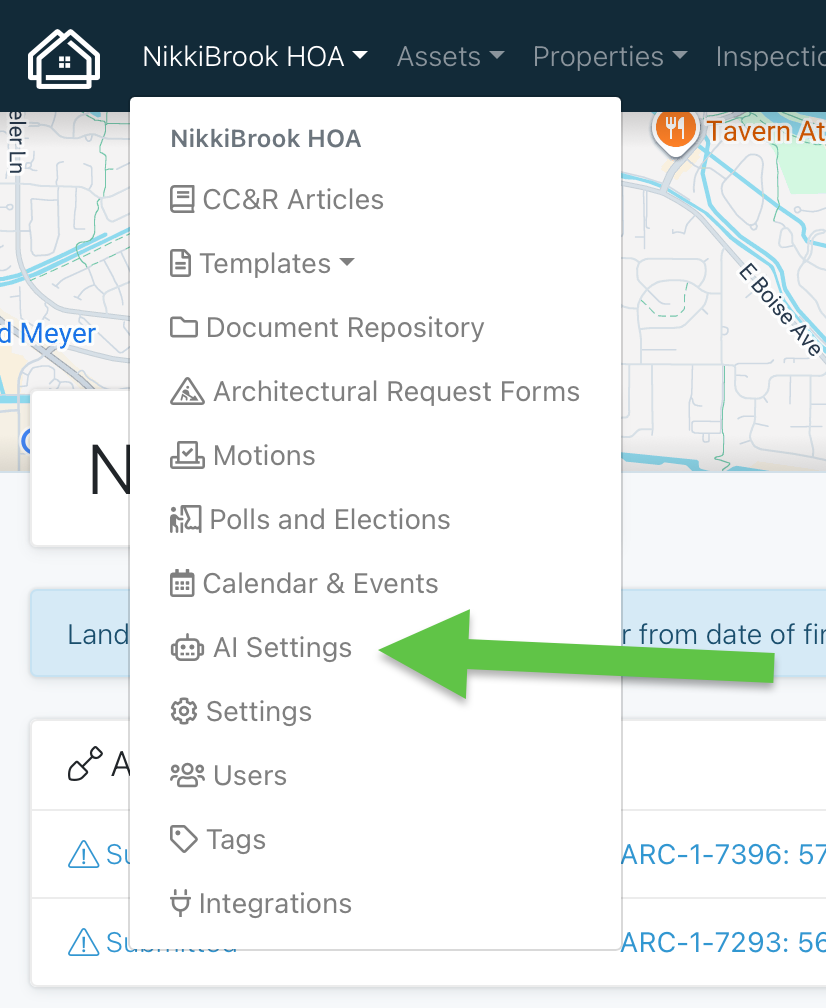
From your Association drop down on your Dashboard, select AI Settings
There are two ways that you can use AI in HOALife:
Upload your Governing Documents - Once your governing documents or rules and regulations are uploaded (please make sure all documents are combined into one pdf file for uploading), AI will then scan this document and parse out the rules to assist you in creating your CC&R articles. This way you are not reinventing the wheel by retyping your entire set of rules! You will be able to add the ones you want to use as well as edit any that need some refining.

If you ever have any updates to your governing documents, you can easily replace the current uploaded file by clicking “Replace Governing Document PDF”. This will allow you to ensure you have the most up to date document available.
AI Owner Chat - Do you ever feel like you are answering the same owner questions over and over and over??? By using the AI chat available in HOALife, you can streamline the dialogue and reduce repetitive questioning - allowing you to focus on more complex tasks.
Remember the governing documents you just uploaded for your CC&R articles? These also play a role in your AI chat. If an owner asks a question regarding any rule or regulation, the AI tool will scan this document and provide the information straight to the owner.
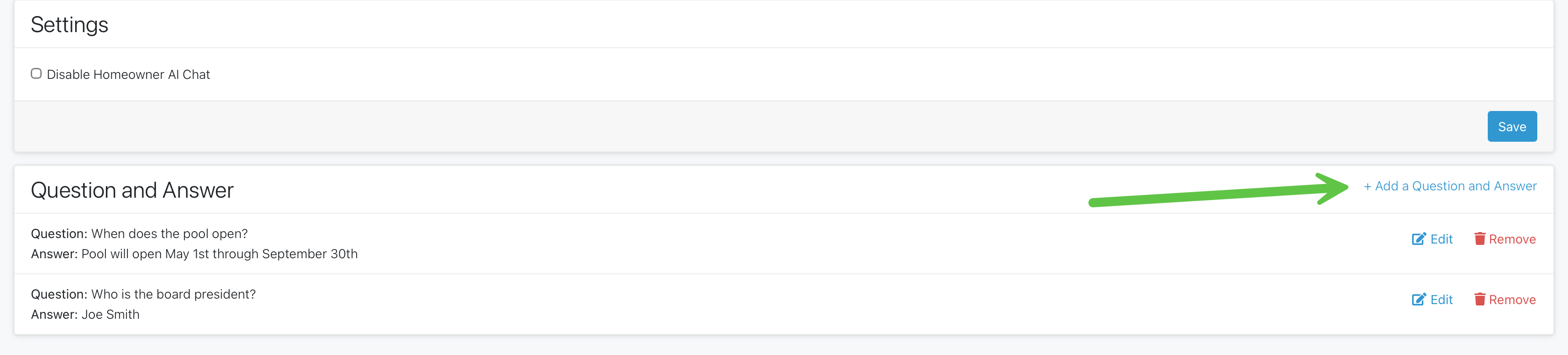
You can also enter FAQs for your Association such as when the pool opens, what the annual meeting date is, who your current board members are, what day trash day is, the list can go on and on! Once this information is entered on your settings page, it will be pulled and sent to any owner who asks this question in the chat. This self service chat will allow owners to ask quick questions without taking up space in your inbox.
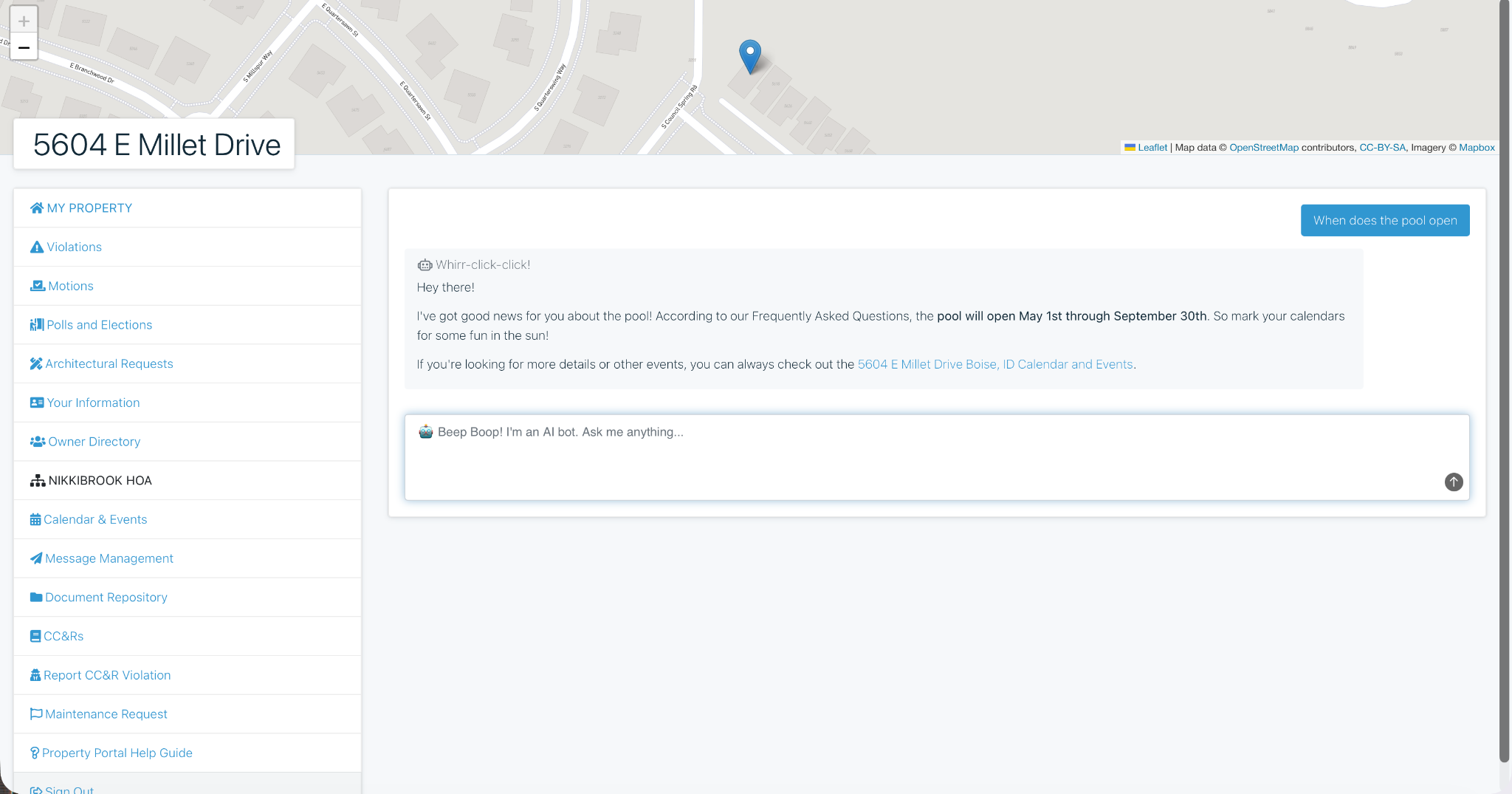
From their Owner’s Portal, owners will see the AI Chat box at the top of their screen. They can type in their question and receive their answer right away. Reducing wait time as well as frustrations from not having the information they need at that moment.
***If for any reason you prefer to NOT have the AI chat available for your owners, just click “Disable Homeowner AI Chat” from your settings page
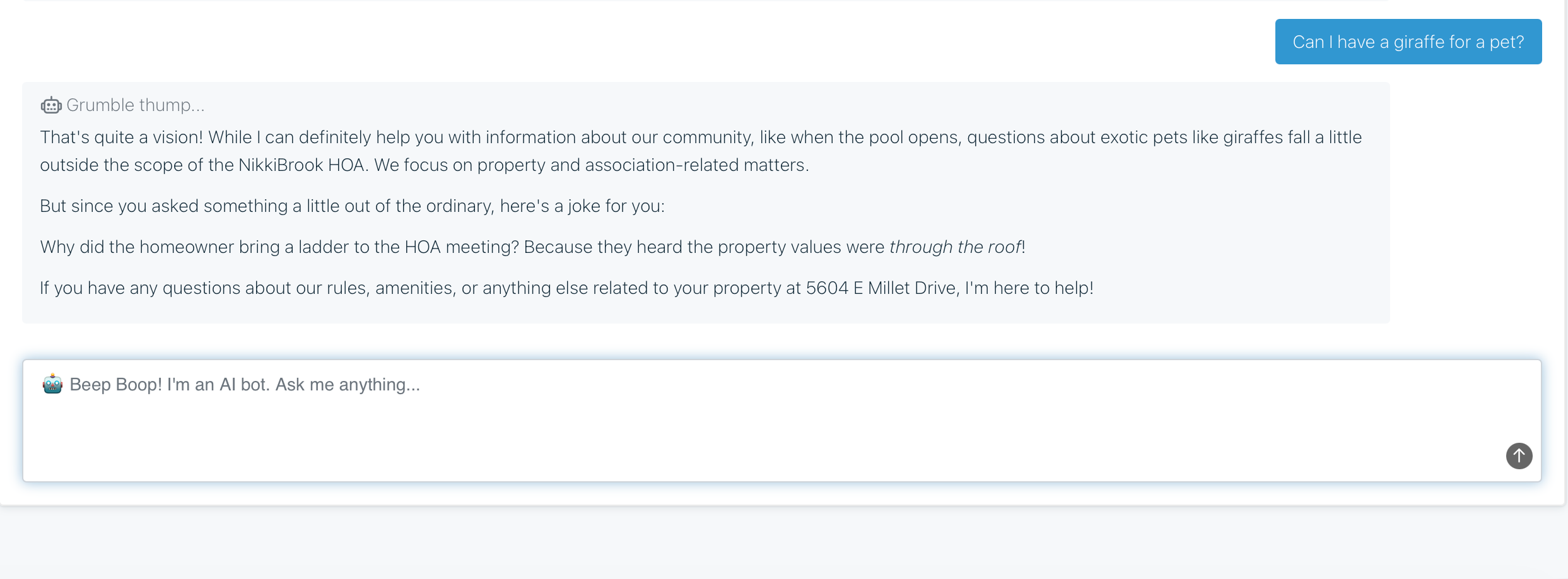
Unlike other AI platforms that may pull from multiple, unknown sources, HOALife will only utilize the information you enter. If an owner asks a question that is not found in your document upload or the entered FAQs, it will respond letting the owner know that this information is not available. Owners can then send a message to their manager regarding their question or request. This feature gives you the confidence to know your owners are being given correct information every time.