Mobile Inspector App
Mobile Inspector App User Guide 📱
Can I inspect without the App installed?
Where can I find the Android App?
Where can I find the iOS App?
Account Setup and Administration
Accounting with Intuit QuickBooks Online
Exporting Property Data
Hardware and Software Requirements
Historical Violation Imports
How do I edit CC&R Articles?
How do I get my data out of Buildium?
Importing Property Lists
Is HOALife down?
Matched Ownership - Linking Properties
Property List Format
Security and Backup
User Setup
Adding Users to Accounts
Administrator Permissions
Architectural Committee Member Permissions
Architectural Committee Voter Permissions
Board Member Permissions
HOALife Dashboard Tour
Inspector Permissions
Manager Permissions
Notification Preferences
Read Only Permissions
Reset Password
Staff Permissions
Dashboard: Features & Settings
AI Settings
Annotation
Association Website Feature
Custom Property Information
Document Repository
Owner Directory
Portal Access with QR Codes and PINs
Portal Announcement
Property Notes
Reports, Summaries, and Board Deliverables
Shared Inbox
Tags!
Violation Management & Notices
Automatic Violation Closed Emails
Changing the Style of a Violation Stock Notice
Repeat Violations
Tracking Violation Resolution (Closing)
Violation Notice Cover Letters
Violation Notice Deliveries
Violation Notices
Video Tutorials
Adding & Editing CC&R Articles - Video
Adding New Users - Video
Architectural Requests Overview - Video
Bulk Communications - Video
Creating Invoices through HOALife - Video
Document Repository - Video
HOALife Owner's Portal Tutorial Video - For Homeowners
Online Voting - How to Set Up - Video
Property Conversations - Video
Property Ownership Changes - Video
Tags! - Video
Updating Property Pins - Video
Violation Notice Delivery - Video
Calendars & Events
Escalations
Communications
Bulk Email Conversations
Bulk Letters
Dynamic Variables in Letter & Email Templates
Ensuring Email Delivery From HOALife
How to Generate Mailing Labels
Message to Management
Property Conversations
Property Email Templates
Property Letter Templates
Property Letters
Return Email Addresses
SMS Broadcasts
Sending a Welcome to HOALife Email & Letter
Payments & Invoicing
Homeowner Payment Options - Auto Pay
Invoicing with Quickbooks Online
Payment Posting Timeline
🏦 Payments Administration Guide
Owner Series
Homeowner Payments Guide
Maintenance Requests & CCR Violation Submissions
Owner Message to Manager
Owner Portal Login
Owner Series - How to Cast Your Vote
Owner Series - How to Submit an Architectural Request
Owner's Portal Tutorial
Updating Your Contact Information - Owner Level
Architectural Requests
Architectural Forms - View as Generic Request Form
Architectural Letter and Email Templates
Architectural Requests Overview
Creating Architectural Request Forms
Payments: Charging for Architectural Request Submissions
Assets & Work Orders
Inspections
Add an out-of-inspection violation to a property
Advanced Routing
Customized Inspection Routing
Inspection Summary Report
Using the HOALife Inspector App to Complete An Inspection
Online Voting
Property Ownership Updates and Changes
- All Categories
- Dashboard: Features & Settings
- Shared Inbox
Shared Inbox

Once enabled the Shared Inbox feature will allow Dashboard Users to have a singular email address and inbox that can be utilized. This email address can be shared with vendors, real estate agents or other non-owners who may need to directly contact the Association. No longer will you need to create a new email address and shared passwords - this inbox will be located directly inside your HOALife Dashboard for viewing and responding.
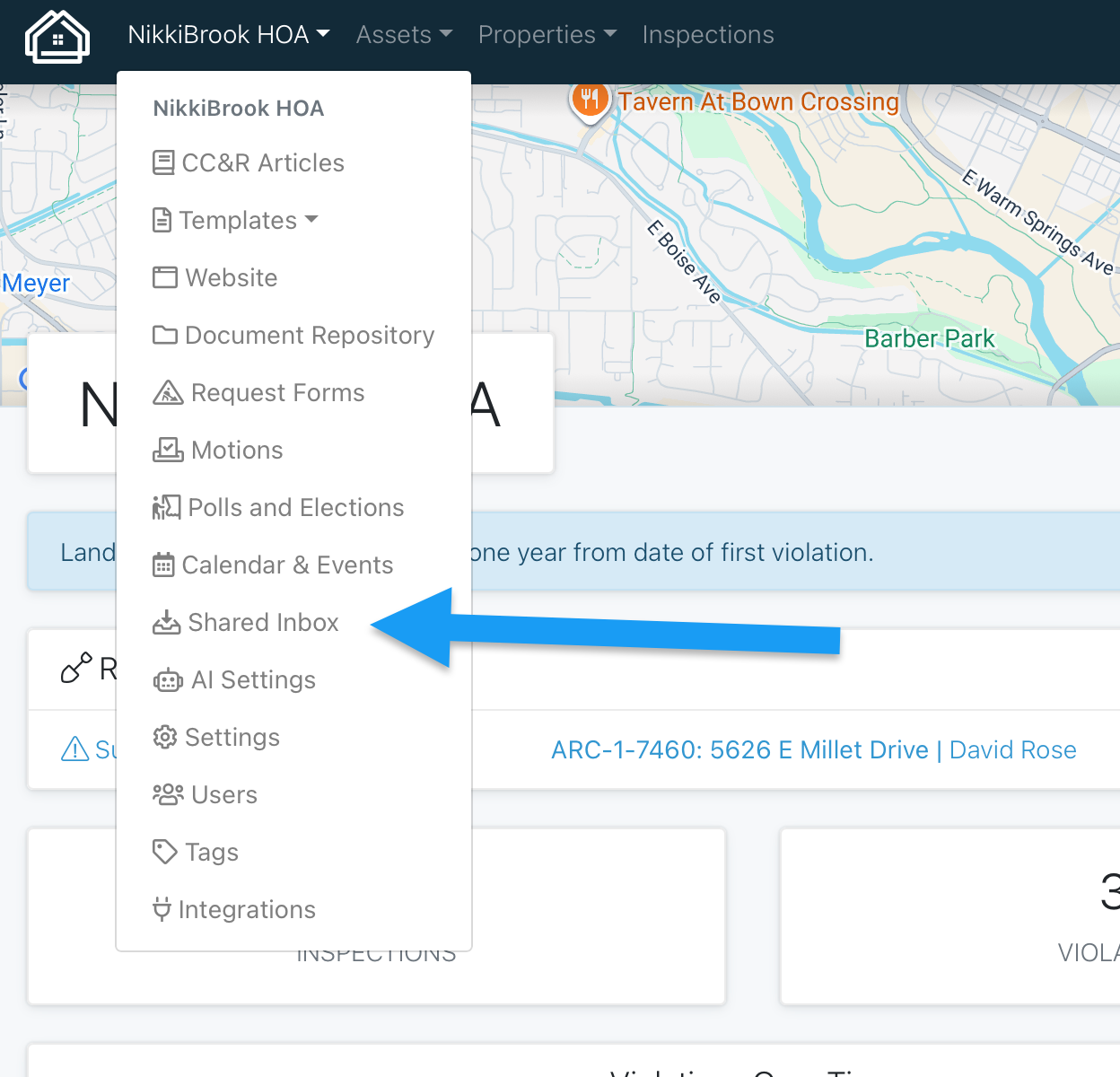
ARC messaging, replies to messages from manager, and bulk email messaging will also reflect this email address as the sender. This will allow owners to easily recognize Association messaging and add to their contacts - hopefully reducing the number of emails that are filtered as spam or junk. Owners can still reply directly from their inbox to any Association message sent and it will be recorded on their property page for reply and reference.
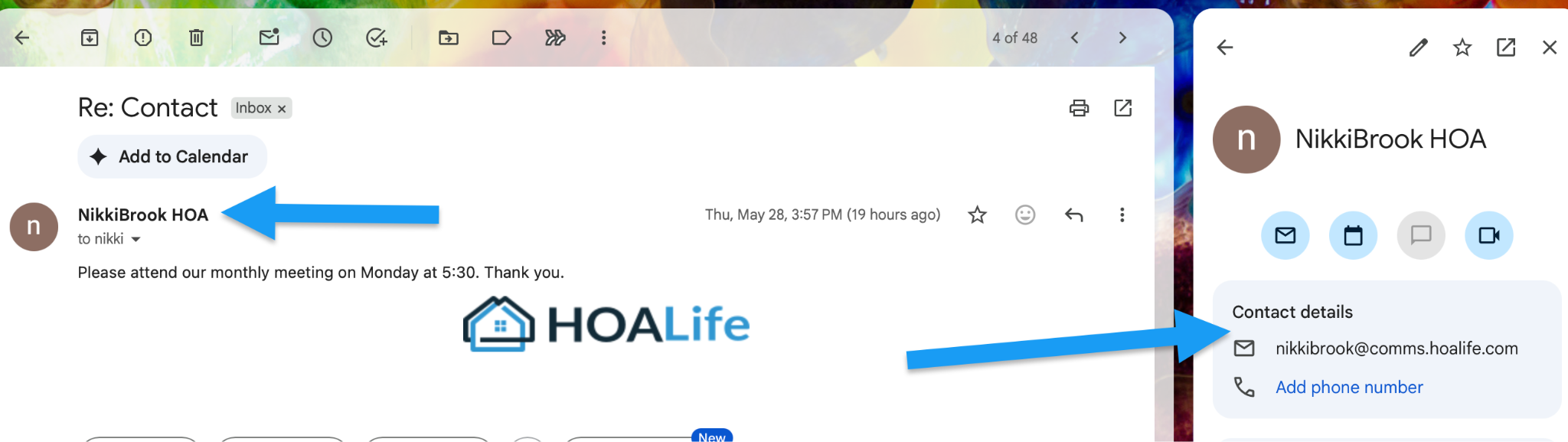
Only messages sent directly to the shared inbox will be located in the inbox. All other emails will be connected to the appropriate owner and/or action item it is associated with.
Please reach out to support@hoalife.com to request this feature for your Association.
